Lift colors, fonts and assets from any site.
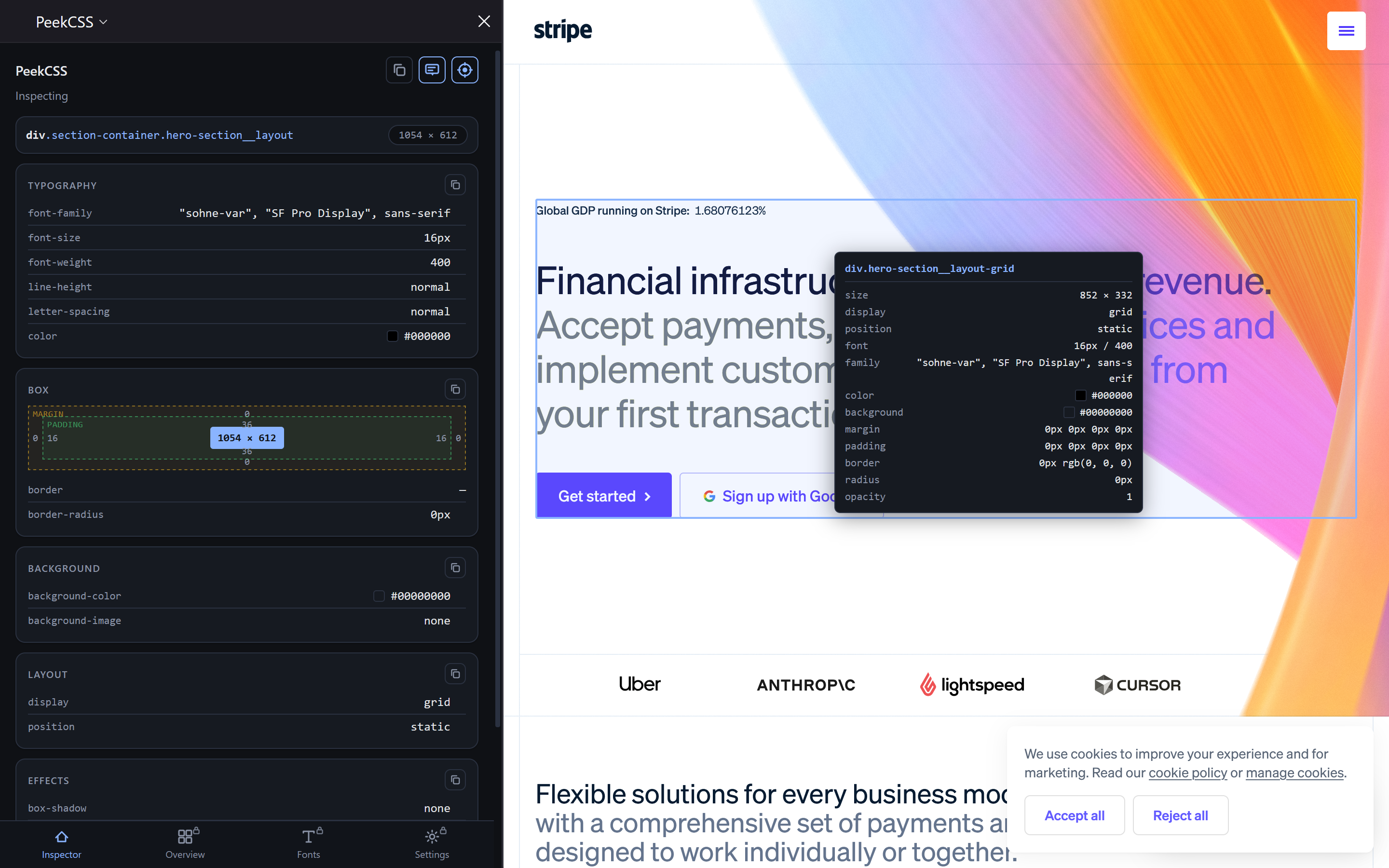
Click any element to read its styles, pull a whole page’s palette, fonts and images in one pass, check contrast as you go, and export straight to CSS, SCSS, JSON or Tailwind. Everything DevTools makes you dig for, one panel away.
No account needed to start. Pro unlocks exports, ZIP downloads & font pairing.
Built for front-end developers, designers, freelancers and anyone who rebuilds, audits or borrows from the web.
DevTools inspects one element. PeekCSS reads the whole page.
DevTools is built for debugging — it answers “why is this element doing that?” brilliantly. It was never built to answer “what is this design made of?” That question takes dozens of clicks across three panels, and you still end up copying hex codes by hand.
PeekCSS doesn’t replace DevTools — keep it for debugging. This is the panel you open when you’re building, not fixing.
A page's colors and images, in one pass.
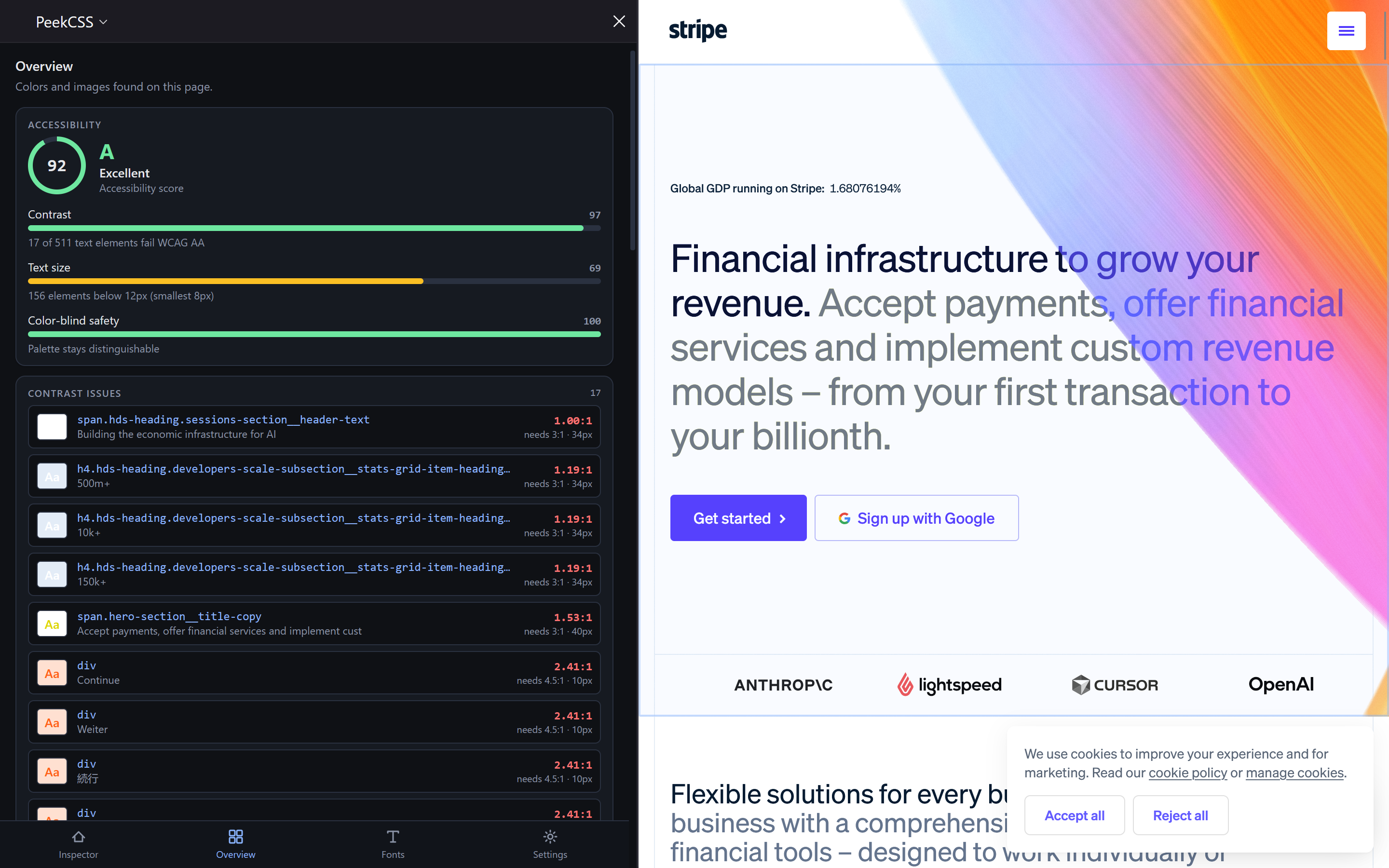
Scan once and get the whole design system: every color with how it's actually used, every image ready to save, and a contrast read on the text. Then export the palette in the format your codebase already speaks.
- Palette extraction. Up to 120 deduplicated colors, each tallied by text / background / border usage.
- Image grid + download. Every <img> and CSS background image with thumbnails; grab one, or download all as a ZIP (Pro).
- Export anywhere (Pro). CSS custom properties, SCSS variables, a JSON object, or a Tailwind colors config.
- Contrast at a glance. Estimated share of text passing AA / AAA, plus a list of the pairs that fail.
Hover, click, read the CSS.
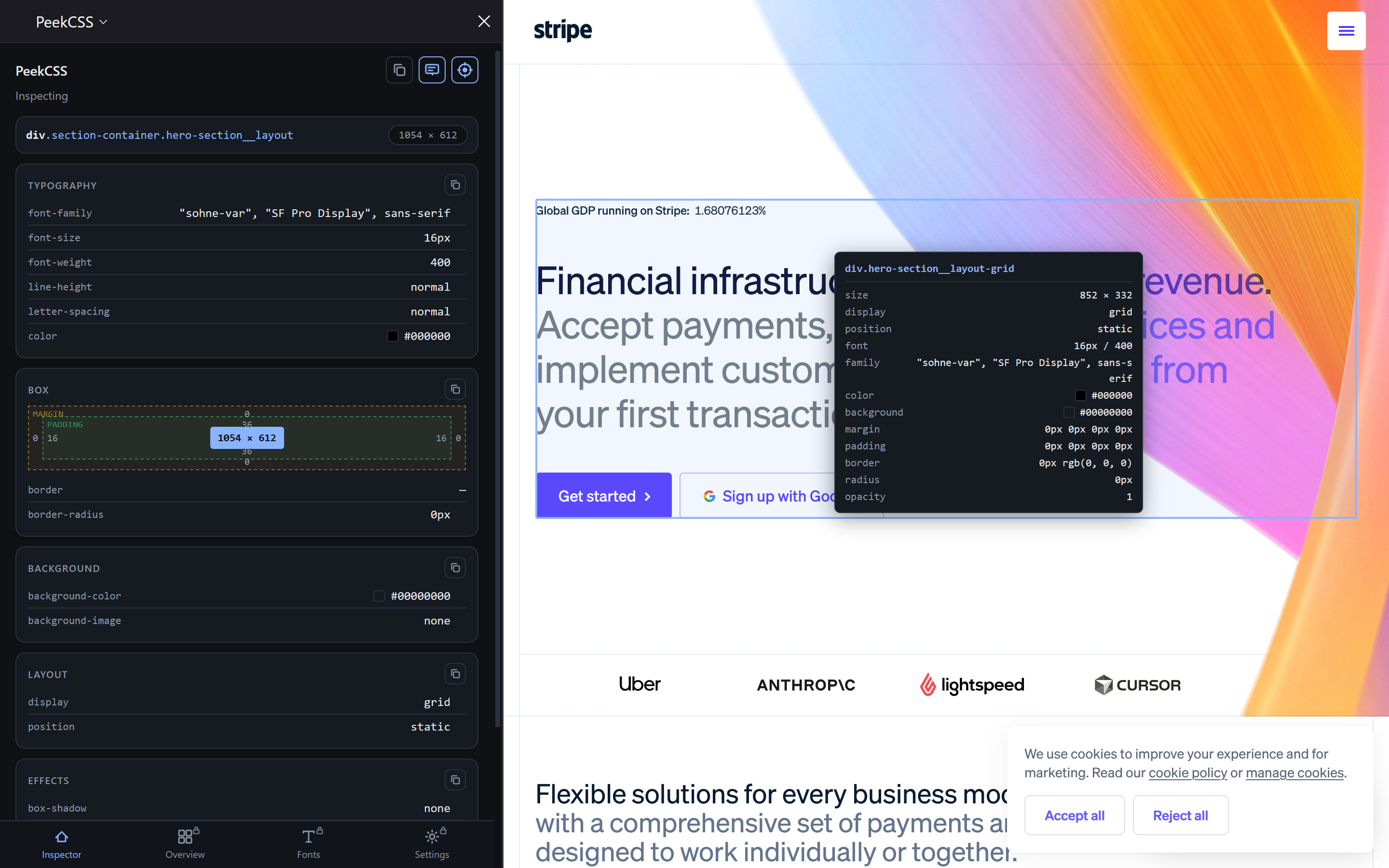
A pixel-accurate overlay follows your cursor. Click any element to load its full computed CSS into the sidebar — grouped, readable, and copyable in one click.
- Smart hover targeting. Empty containers resolve down to the nearest visible child, so you always land on what you meant.
- Grouped properties. Typography, Colors, Spacing, Effects and Layout — with one-click copy for a value, a group, or everything.
- Contrast built in. Every color pair shows its ratio with an AA / AAA pass-fail badge, right where you’re already looking.
- Your units. HEX / RGB / HSL and px / rem / pt, applied everywhere from Settings.
Every font on the page, sorted.
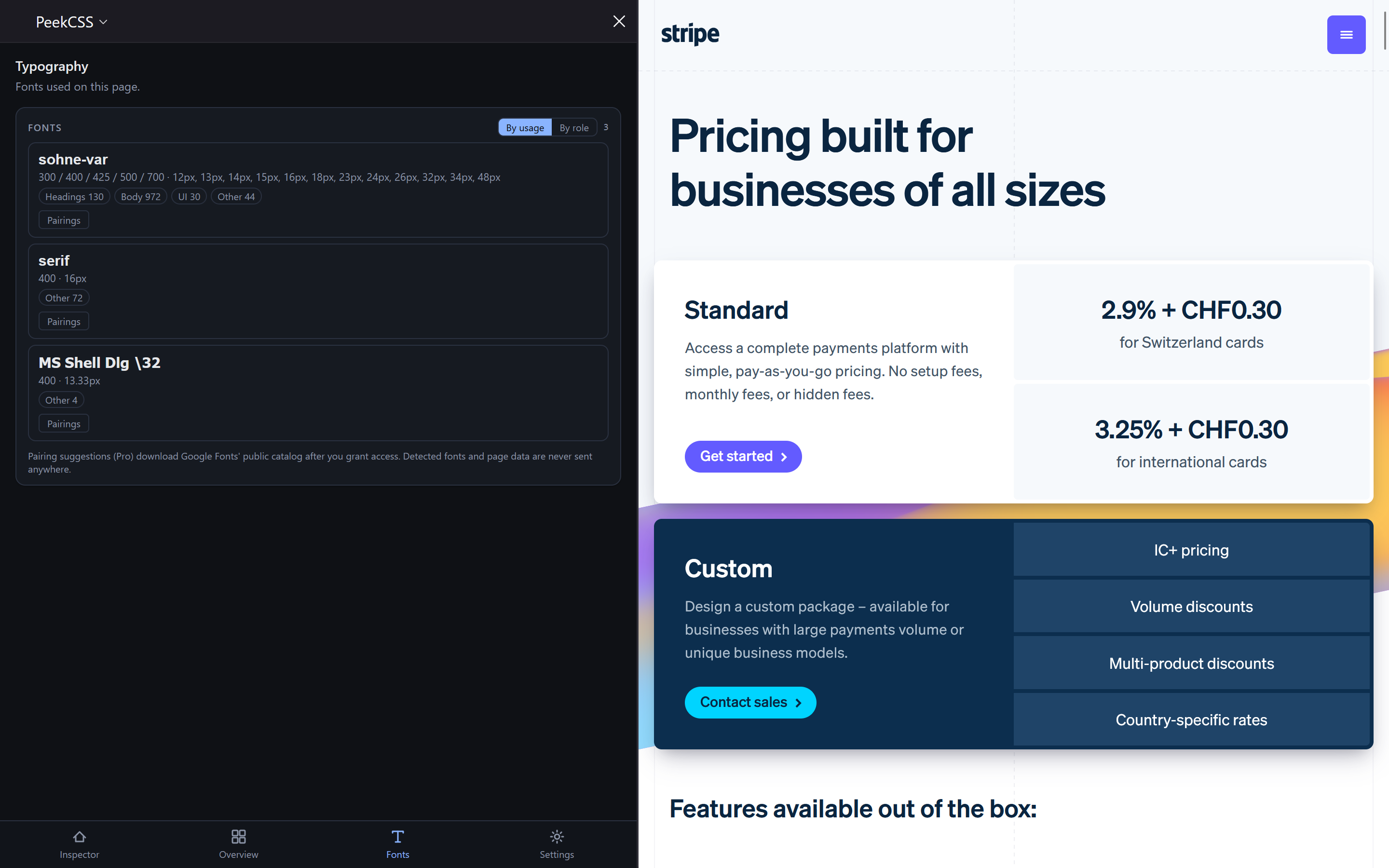
See each font family, how often it's used, its weights and sizes, and the roles it plays — then get pairing suggestions without sending a single byte about the page anywhere.
- Usage-ranked font list. Families sorted by element count, with distinct weights and sizes per family.
- Role breakdown. Headings / Body / UI / Other chips, with a sort-by-role toggle.
- Privacy-first pairing (Pro). Uses Google Fonts’ public catalog after you grant access. Detected fonts never leave your machine.
Keyboard-first, always.
Stop copying hex codes by hand.
Free forever for everyday use. Upgrade any time — one click, handled by Paddle.